You front the money. Clavero keeps the record.
The software for people who manage other people's property: quote the repair, pay for it out of your own pocket, and bill the owner after.
One job, start to finish
-
1
The problem arrives
The tenant says there's a leak. You enter the job, the diagnosis and a photo. Two minutes, from your phone, standing at the door.
-
2
You quote a closed price
Not a list of materials: the number you're taking responsibility for, work completed. Whatever you spend under is yours. Whatever you spend over is yours too.
-
3
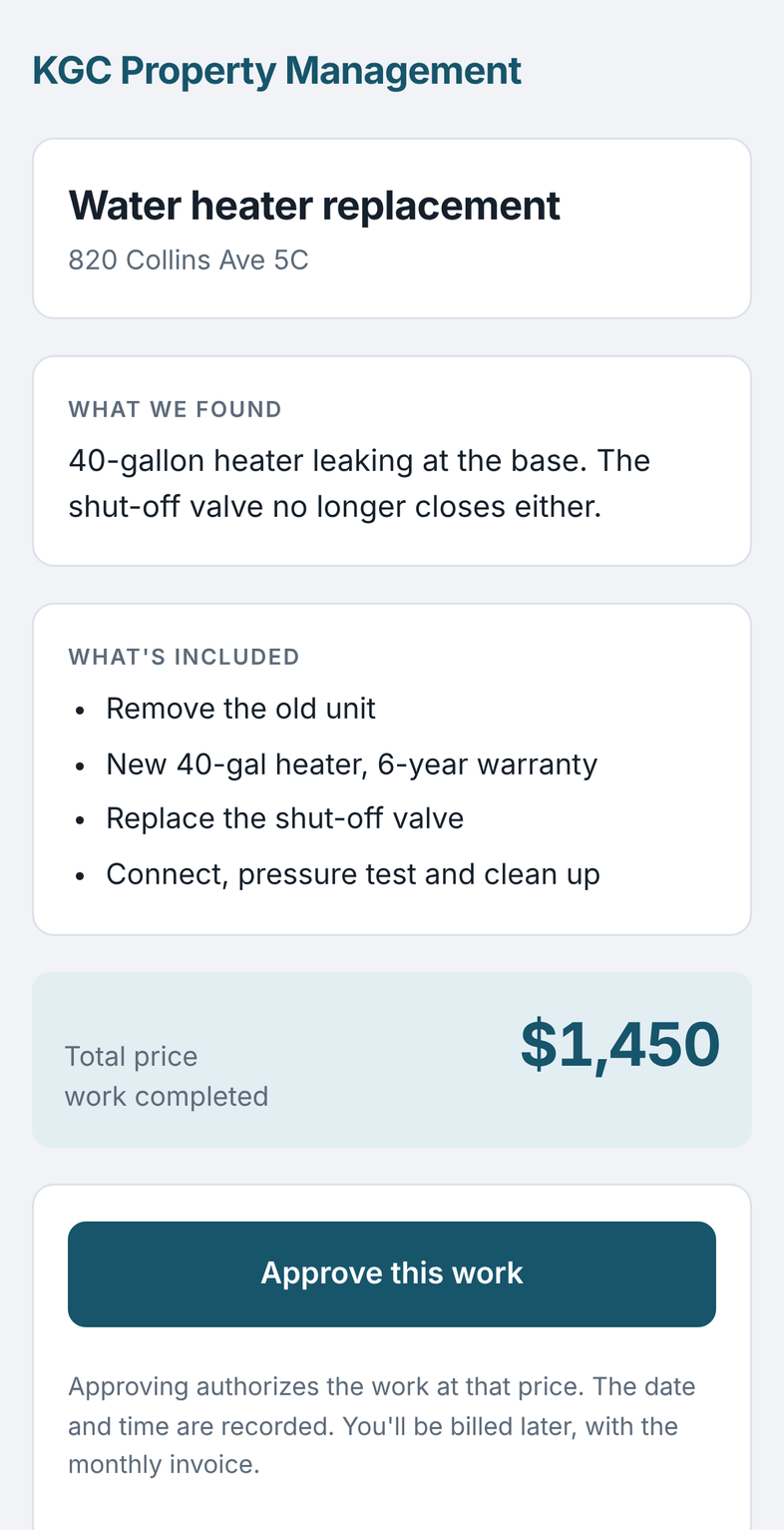
The owner approves from the email
They get a link. They open it, see the diagnosis, the photos and the price, and tap Approve. The date, the time and where they did it from are all recorded.
-
4
You pay for it
You buy the water heater, you pay the plumber. You photograph the receipt and it sits in the inbox until you say which job it belongs to.
-
5
Something else turns up
Opening the wall, the shut-off valve wouldn't close. You raise the price, explain what happened, and the owner approves again. The earlier approval isn't overwritten: the whole history stays.
-
6
You close the month
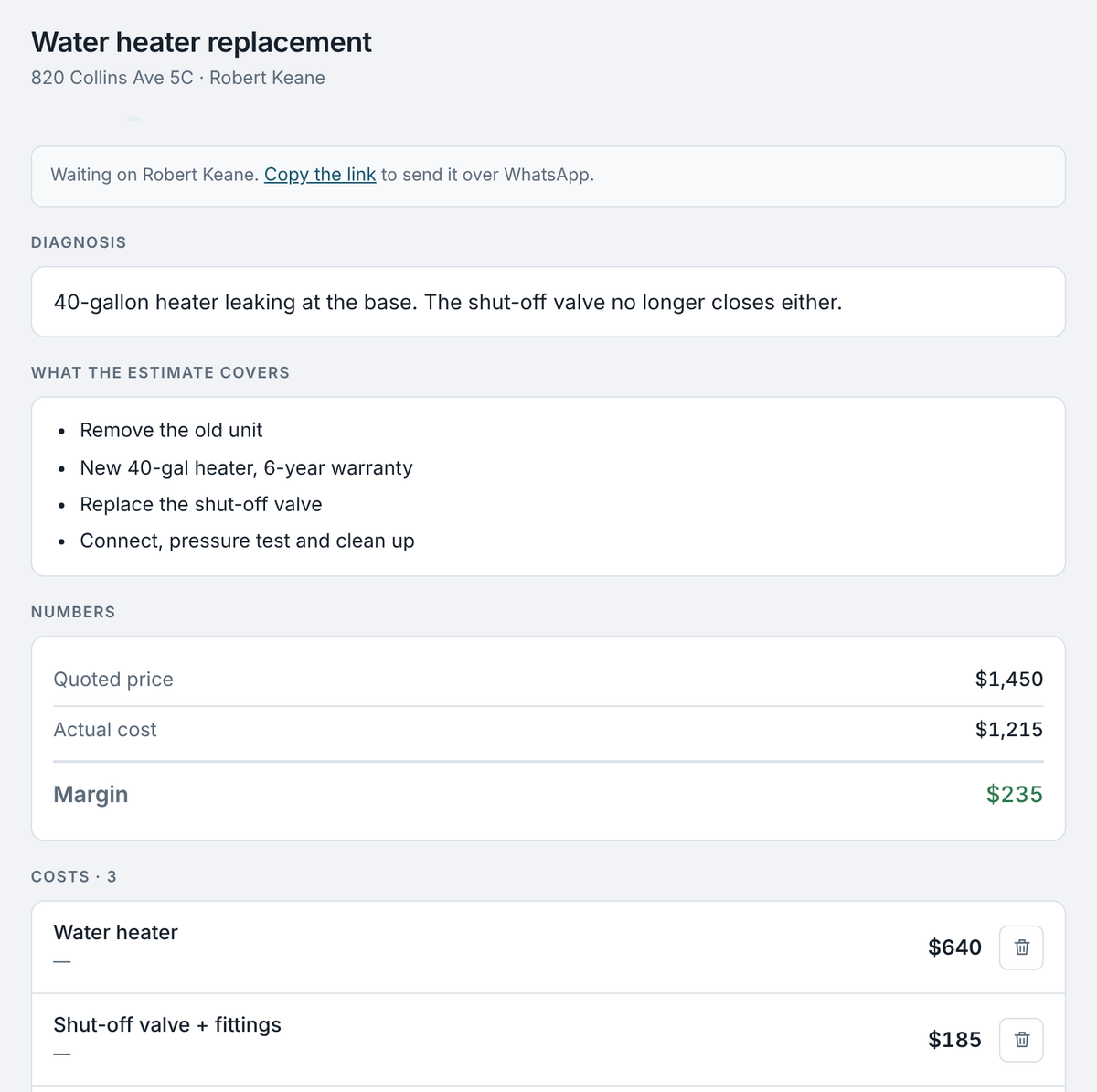
One invoice per owner: your fees plus the work they approved. They see the total. You see the margin.
The two numbers you can't see today
What you made on each job
Approved price minus what you actually paid. Job by job, and totalled by month.
Who owes you, and since when
Which owner has an unpaid invoice, and which one is past 45 days.
And there's a third one, the one that stings: when costs pass the price the owner approved, Clavero tells you the same day. Not at month close, when there's nothing left to do about it.
What Clavero doesn't do
It doesn't move your money. No accounts, no balances, no transfers. When you collect the tenant's check and deposit it in the owner's account, Clavero records that it happened. That's all.
That line is drawn on purpose. Handling other people's funds carries serious rules in Florida, and a system that only keeps records doesn't cross them.
The rest of the system
Rent
Leases, expiry dates, late fees and security deposits.
Alerts
What to collect today, which lease is expiring, which unit went vacant.
Receipts
A photo of the paper, the WhatsApp or the email. You assign them later.
Vendors
Who you called, what you paid them, and on which jobs.
Reports
By owner and by period, with the margin kept apart from the fees.
On your phone
Installs as an app from Safari or Chrome. Nothing to download.
Every owner, in their own language
The email, the approval page and the invoice go out in Spanish or English, chosen owner by owner. Both can live in the same portfolio. The app works in both languages too, and switches with one tap.
Who it's for
For managers with 5 to 50 units who quote jobs and front the money.
It isn't for an owner with a single unit, or for a four-hundred-apartment association. There are other things for that, and they're better at it.
Let's talk
Tell us how many units you manage and how you handle jobs today. If Clavero isn't right for you, we'll say so.